
Attaching documents
Sometimes the answer is not in the manual: it is in the PDF the user has just received. A paper clip next to the question box lets them hand that document to the assistant instead of dictating what is in it.
User: [attaches lead-request.pdf]
      "Create a lead from the attached request, using the data in it."

  → create_lead(name = "Dana Whitfield",
                account = "Contoso Pharmaceuticals Ltd.",
                phone = "+44 20 7946 0318",
                email = "d.whitfield@contoso-pharma.example",
                notes = "Head of Procurement. Interested in cold-chain
                         logistics... Budget: EUR 185,000...")      [confirmed]

Assistant: "I created the lead and opened it so you can check it."
Nobody typed those values. The model read them off the page, and then used the action the application had registered. That is the whole point of the feature, and the CRM sample application ships the document so you can run it.
Turning it on
Off by default, on one line:
HelpChat.Settings.Attachments.Enabled := True;or in helpchatai.json:
{
  "Attachments": { "Enabled": true }
}
It is off until you say otherwise
What the user attaches leaves the machine and reaches the model, exactly like the question they type. That is the application's decision to make, not the library's, which is why nothing is accepted until you enable it.
The clip appears only when both halves agree: attachments are enabled and the configured provider can read documents. claude, openai and gemini can; docsearch and stub cannot, and with one of those the clip stays hidden rather than promising something the answer would not deliver.
What can be attached
| Extensions | How it travels | |
|---|---|---|
| Documents | .pdf | The bytes, as a document block the model reads page by page |
| Images | .png .jpg .jpeg .gif .webp | The bytes, as an image block |
| Text | .txt .md .csv .json .xml .log .ini .yaml .yml | Decoded when it arrives and put in front of the question, fenced |
Anything else is refused by name, with a sentence saying what is accepted.
Why not Word and Excel
No model reads a .docx or an .xlsx: all three APIs take a PDF and images as binary, and nothing else. Sending one anyway would look like it worked and quietly produce an answer about a document nobody read. Save it as PDF — every version of Word and Excel does it from the File menu — or export the sheet as CSV, which the assistant reads as text.
A text file is decoded by its BOM; without one, as UTF-8 when the bytes are valid UTF-8 and as the ANSI code page otherwise — the same rule the documentation index follows, because a .txt written by Notepad twenty years ago is still a .txt.
Trying it
The sample application comes with two documents, under CRM Demo\Docs:
| File | What it is |
|---|---|
lead-request.pdf | A request for information from a company that is not in the CRM yet, with the fields of a lead scattered in it |
call-notes.txt | What somebody wrote down during the follow-up call: the details the PDF does not carry |
Open the chat with F1 and either drop the two files on the panel or press the paper clip
- its dialog takes more than one at a time. Either way they appear above the question box:
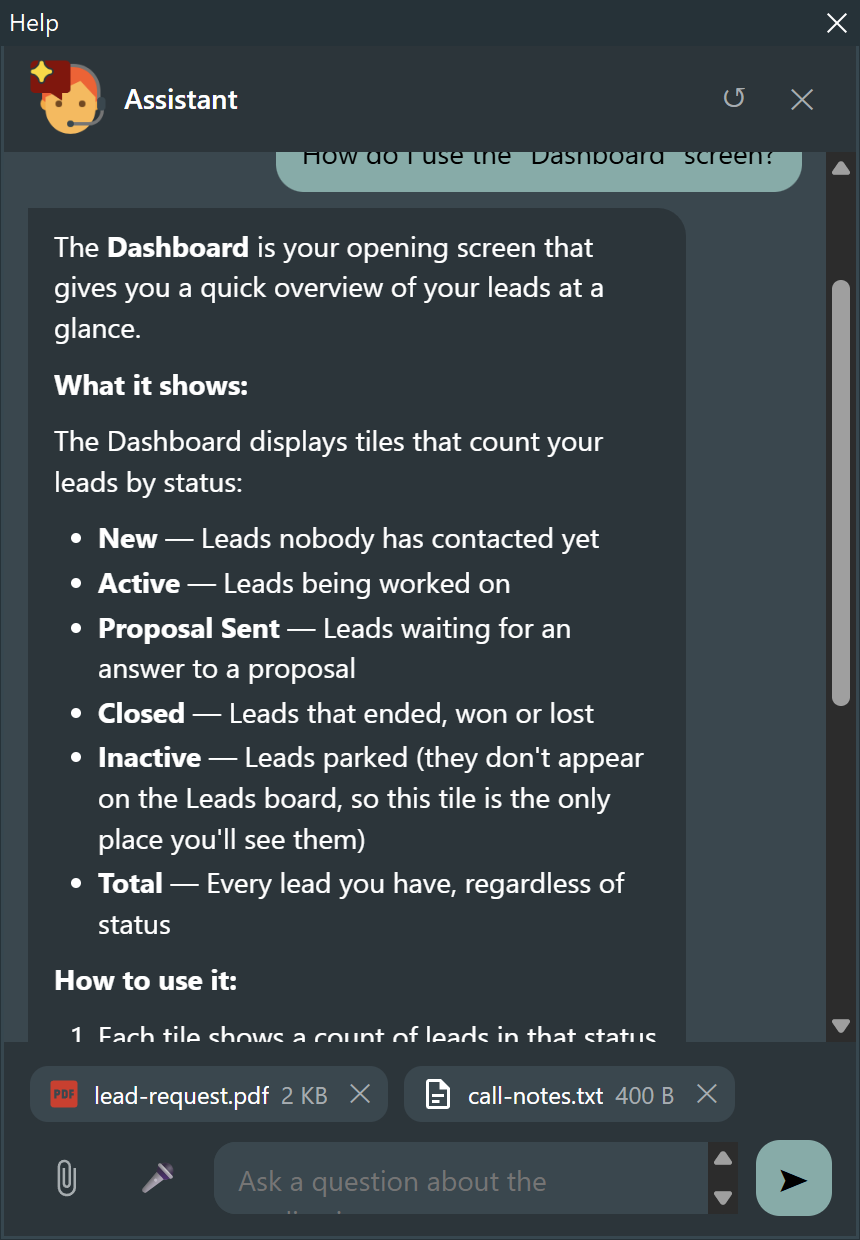
Each chip carries the glyph of its kind, the name and the size, and an ✕ that takes it away. While the bytes are going up, a ring turns in place of the glyph.
Dropping works anywhere on the panel
Not only on the question box: a file dragged from Explorer onto the conversation, the header or the footer is attached just the same.
Now ask something that needs both of them:
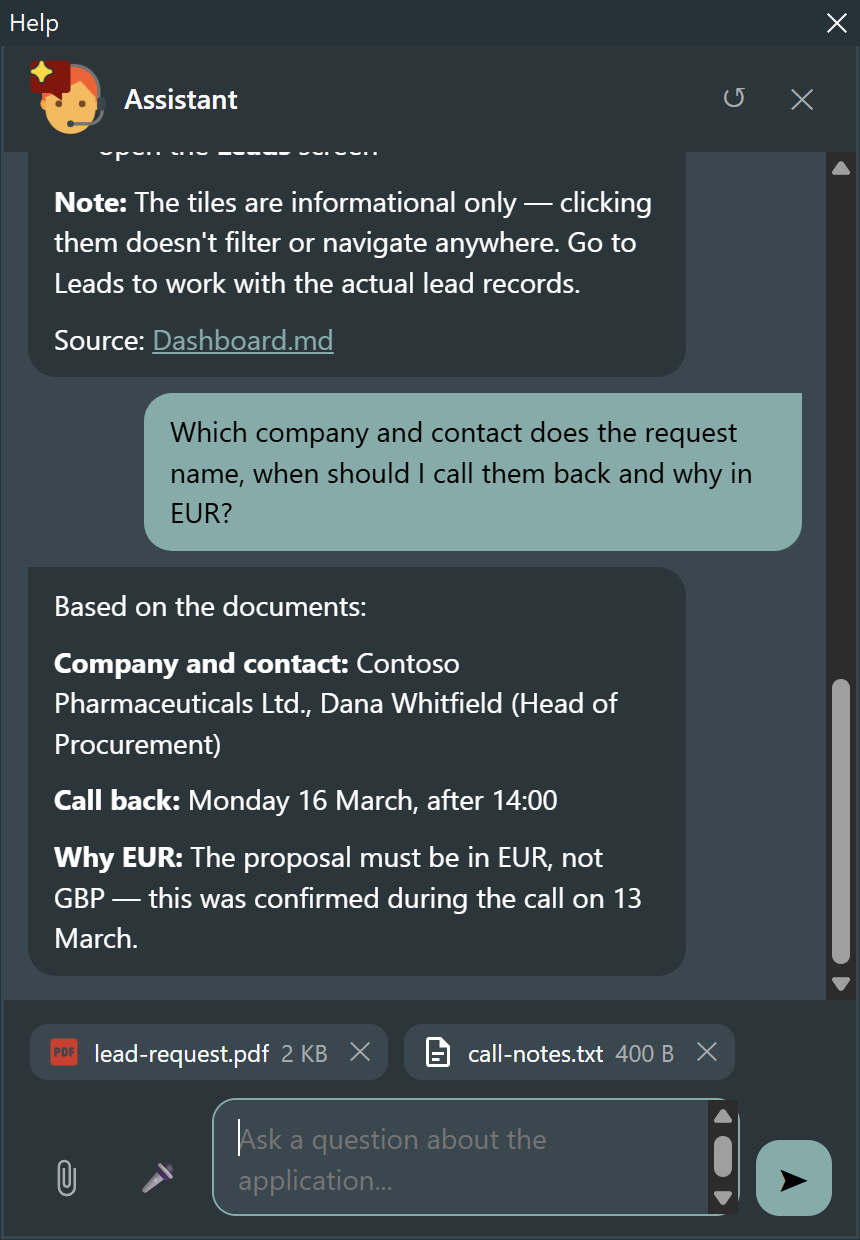
The company and the contact are in the PDF; the call-back time and the currency are only in the notes. One question, both documents.
From a document to a form
The same attachment plus an action is what turns reading into doing. Ask the assistant to create the lead, and it fills the call with what it read:
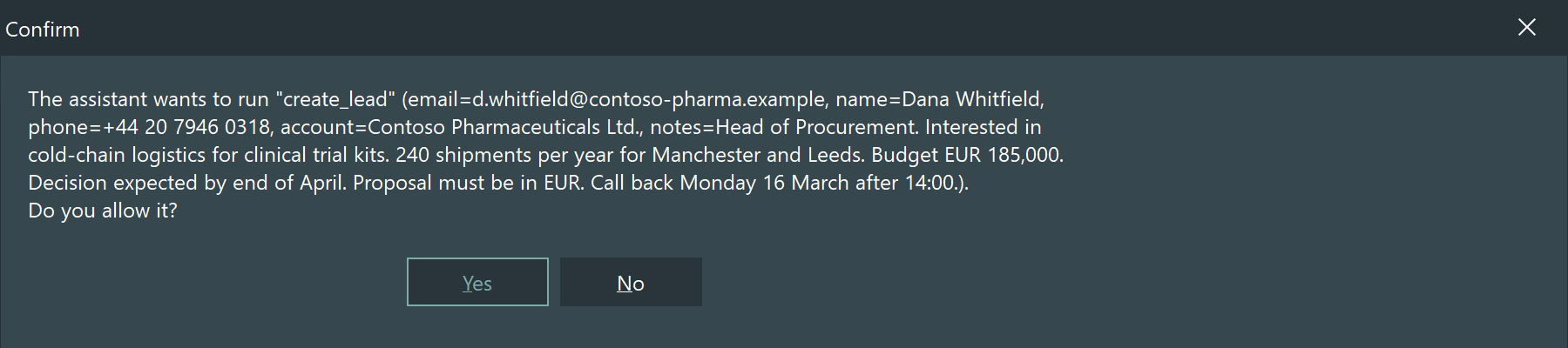
The confirmation is the ordinary one actions ask for before they write: the user sees every value before anything is created, which matters more here than usual, because those values came out of a document rather than out of the conversation.
How long an attachment lasts
It belongs to the conversation, not to the question it was sent with: it is handed to the model again with every later question, so
"and what is the expected volume?"
works without attaching anything a second time. The ↺ button clears the conversation and the attachments with it.
They live in memory for as long as the conversation is open. They are never written to the conversation file on disk: the bytes of a PDF have no business in a JSON that is reloaded at the next start.
Every question pays for them
An attachment that stays in the conversation is sent again at every round, and a scanned PDF is not cheap in tokens. That is what the size limits below are really for — and why ↺ is worth pressing once the document has been dealt with.
The limits
| Setting | Default | What it does |
|---|---|---|
Attachments.Enabled | False | Show the clip and accept what it sends |
Attachments.MaxCount | 5 | Attachments a conversation may hold at a time |
Attachments.MaxSizeKB | 8192 | Largest single file (0 = no limit) |
Attachments.MaxTotalKB | 20480 | Largest total of a conversation (0 = no limit) |
A file over MaxSizeKB is stopped by the page before it is transferred. The others are checked by the engine, and every refusal comes back as one localized sentence the panel shows in the conversation — the type that is not accepted, the limit that was reached, a file with nothing in it.
From code
The clip is the usual way in, but the engine does not care who adds a document:
uses HelpChatAI.Attachments;

var
  LAttachment: THelpChatAttachment;
  LError: string;
begin
  if not HelpChat.Engine.AddAttachment(HelpChat.Engine.ConversationKey,
       'invoice.pdf', TFile.ReadAllBytes(LPath), LAttachment, LError) then
    ShowMessage(LError);
end;
RemoveAttachment takes one away, Engine.Attachments.ItemsOf lists what a conversation holds, and Engine.Clear empties both the conversation and its attachments.
What travels, and where
The document goes to the provider you configured, with the question — to Anthropic, OpenAI or Google, under their terms. It does not pass through Ethea, it is not stored anywhere by the library, and it is not written to disk. See Security and privacy for what the assistant sends in general.
If your application handles documents that may not leave the building, leave attachments off, or point the component at a provider you host.
In FireMonkey
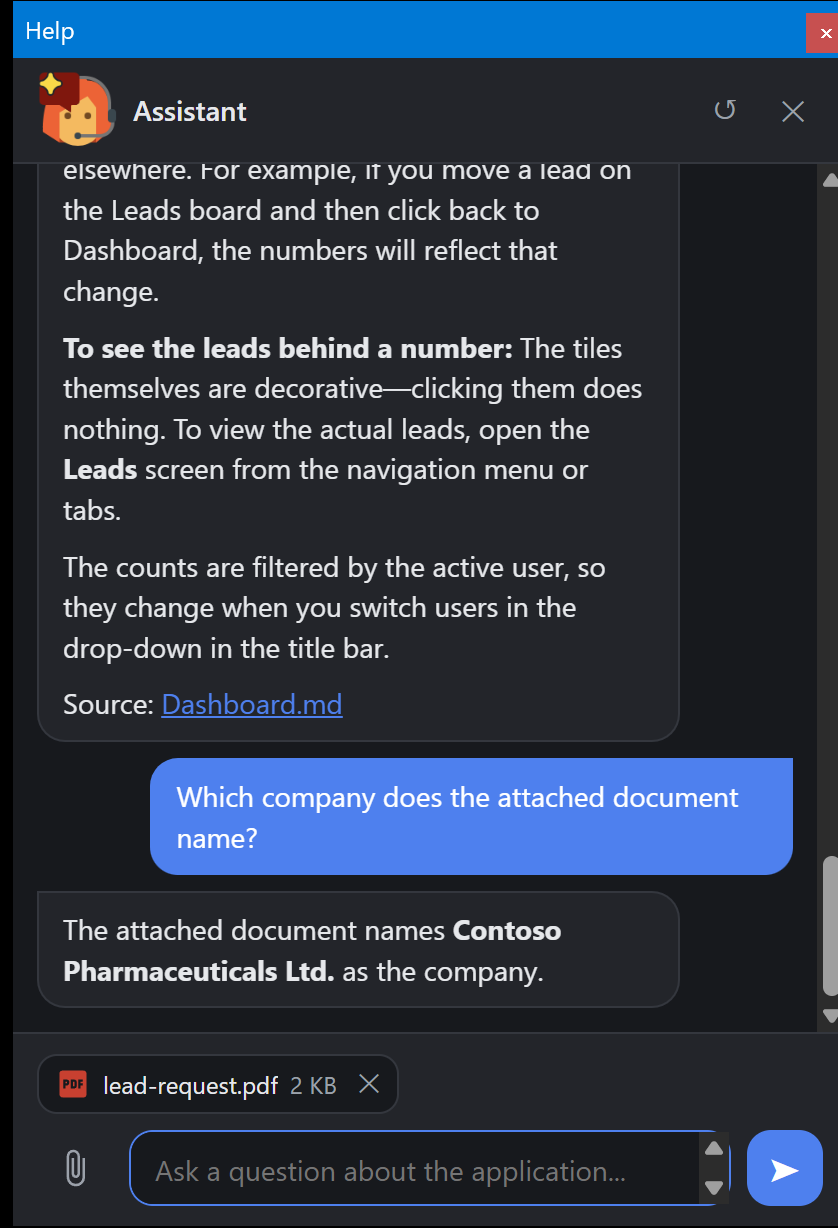
The same, with no difference worth a note: the panel is the same page, served the same way, and the file dialog of the embedded browser opens as it does in the VCL.
What is not there yet
- The application cannot offer a document to the user yet — attachments go one way, from the user to the assistant. The other direction is planned.
- Attachments and a remote engine are not verified together. With
Settings.Remotethe page talks to the server directly, and the documents would live in the server's session; nothing in the client stands in the way, but it has not been tried.